Autosoft LOF Printers & Supplies

Autosoft LOF Printers & Supplies

(Showing 6 of 6)

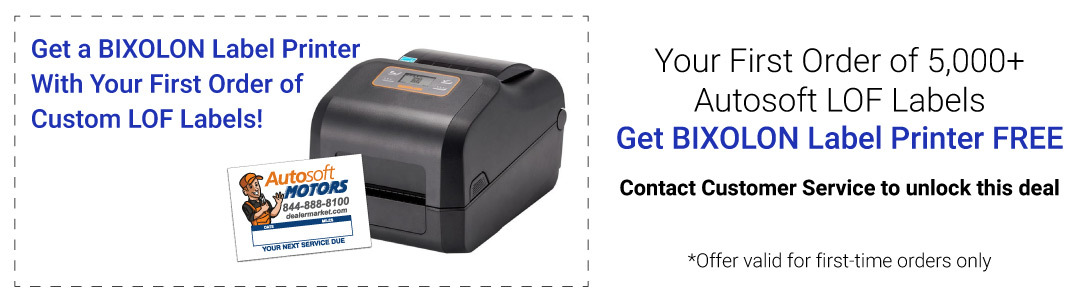
If your dealership runs Autosoft DMS, this is the oil change label system built for it. Vehicle and service data comes straight from the system rather than being typed in at the counter, which removes the transcription errors that put the wrong next-service date on a customer's windshield. Autosoft LOF labels print full colour on vinyl with removable adhesive, 500 per roll, carrying your name, logo and contact details.

Two backings. White back gives an opaque field, so colours print true and text stays legible over tinted glass; it's the safer default. Clear back shows only the printed elements so the label reads as part of the glass, which looks better but needs bold artwork to stay readable. The Bixolon XD5-40t prints them through a ribbon rather than burning into the stock, which is what keeps a label legible through months of direct sun; keep a spare, and note the 10ft USB cable is stocked separately because the one in the box is usually too short to reach the service desk. Not on Autosoft? See the 5-in-1 system or custom write-in stickers.

Autosoft LOF Printers and Supplies

If your dealership runs Autosoft DMS, this is the oil change label system built for it. Vehicle and service data comes straight from the system rather than being typed in at the counter, which removes the transcription errors that put the wrong next-service date on a customer's windshield. Dealermarket is fueled by Autosoft, so these are the supplies the platform is designed around.

LOF Labels

Labels print full colour on vinyl with removable adhesive, 500 per roll, custom-printed with your dealership's name, logo, and contact information. Two backings:

White back LOF labels put your artwork on an opaque white field, so colours stay accurate and text stays legible regardless of what is behind the label. This is the safer choice on tinted glass and the better one if your logo relies on colour fidelity.

Clear back LOF labels leave the unprinted area transparent, so only the printed elements show and the label reads as part of the glass rather than a sticker applied to it. The cleaner look costs slightly more and works best with bold, high-contrast artwork.

The Printer

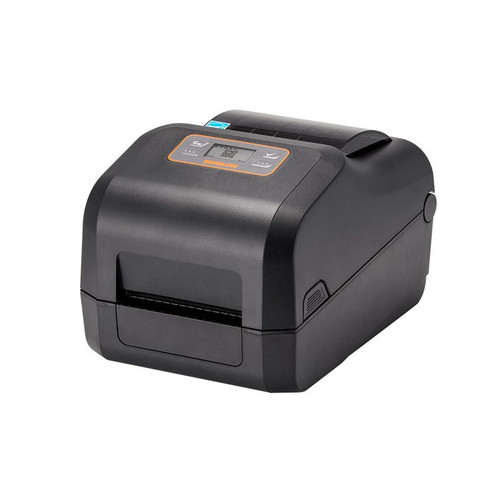
The Bixolon XD5-40t is a 4-inch (118mm) thermal transfer desktop label printer, the mid-tier model in the Bixolon desktop range, built for the print quality a customer-facing label needs. Thermal transfer means the print is laid down through a ribbon rather than burned directly into the label stock, which is what keeps it legible on a windshield through months of direct sun.

Consumables and Connection

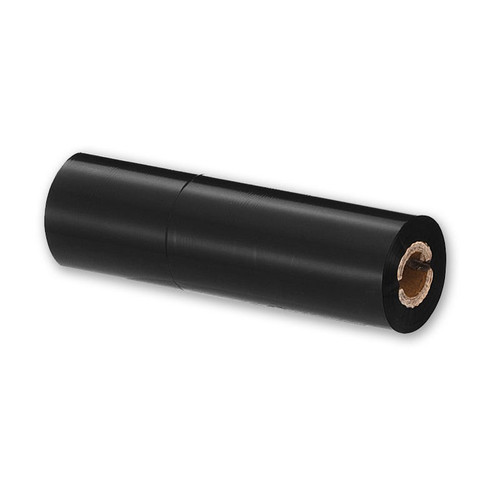
Because the XD5-40t is a thermal transfer printer, it needs a ribbon: the Bixolon XD5-40t printer ribbon fits both the XD5-40t and the older SLP-TX420EG. Replace it when print quality starts to fade rather than waiting for it to fail mid-shift, and keep a spare on the shelf. Connection is standard USB-A to USB-B; the 10ft black USB device cable gives enough length to site the printer where the advisor actually works rather than next to the PC.

Other Oil Change Systems

Not running Autosoft? The 5-in-1 oil change sticker printer system and the standalone GoDex ProMinder printers calculate service intervals without a DMS connection. If you would rather not own a printer at all, custom oil change stickers arrive branded with a write-in area. Browse everything under oil change products and accessories.

More for Autosoft Users

See Autosoft DMS forms and checks for printed forms aligned to Autosoft output, Autosoft certified PCs, and Autosoft DMS training.

FAQ

Clear back or white back labels?

White back gives an opaque background, so your colours print true and the text stays readable over tinted glass or a busy background. Clear back shows only the printed elements, which looks more discreet on the windshield but depends on bold artwork to stay legible. White is the safer default; clear is the better look when the design supports it.

Do I need a ribbon with the printer?

Yes. The XD5-40t is a thermal transfer printer, so it prints through a ribbon rather than directly onto the stock. That is what produces the durable print, but it means the ribbon is an ongoing consumable. Order one with the printer and keep a spare, since a shop that runs out mid-week stops printing reminders.

Why use the Autosoft system rather than a standalone printer?

Because the data is already in your DMS. The Autosoft LOF system pulls vehicle and service information directly, so nobody retypes a mileage figure or a service date at the counter. Standalone printers such as the GoDex ProMinder calculate intervals themselves and suit shops without Autosoft, but they require the details to be entered by hand.

How many labels come on a roll?

500 per roll, in both white back and clear back. Work out your reorder point from monthly oil change volume; most shops keep at least one spare roll on hand, because the customer-facing reminder is the one thing you do not want to skip when a roll runs out.

Is the USB cable included with the printer?

Check the printer listing before ordering. The connection is standard USB-A to USB-B, and the 10ft cable is stocked separately because the cable supplied with a desktop printer is usually short. Ten feet lets you place the printer at the service desk rather than wherever the PC happens to sit.