Printers for Dealerships
A dealership does not have one printing problem, it has four. Office documents, multi-part carbon forms, labels, and service reminder stickers each need a different machine, and no single printer covers them all. Working out which of the four you actually have is the first step.
1. Office and Department Printing
Laser printers handle the bulk: repair orders, deal paperwork, parts invoices, accounting output.
Monochrome, which is most dealership printing: the MS431dw at 42 ppm, MS531dw at 46 ppm, MS631dw at 50 ppm, MS821dn at 55 ppm, MS823dn at 65 ppm, and the MS825dn at 70 ppm with a first page in 4 seconds.
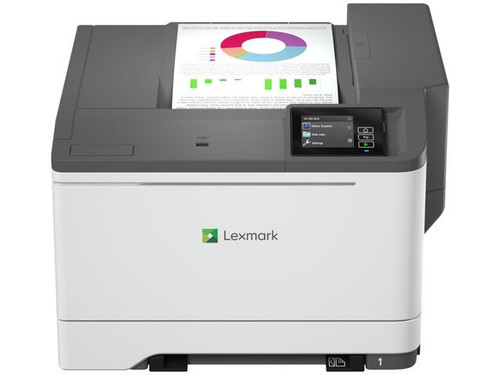
Colour, for customer-facing material: the CS331dw and CS431dw at 26 ppm, and the CS632dwe at 40 ppm.
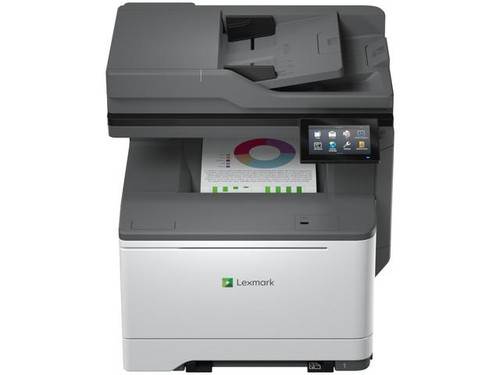
Multifunction, where scanning matters: the MX431adw in mono at 42 ppm, or the CX331adwe in colour with a flatbed scanner and ADF.
See the full range at Lexmark printers.
2. Multi-Part Carbon Forms
This is the one that surprises people. A laser printer cannot print through to a second and third copy, because it applies toner to the top sheet only. Any department still running carbon repair orders, invoices or DMS-specific multi-part forms needs an impact printer, and there is no laser substitute.
The Tally Dascom 4347-i06w is the machine for that job. It costs more than any laser printer here, which reflects what it does rather than how fast it does it. If your DMS produces multi-part output, budget for one before assuming a laser will cover it.
3. Labels and Asset Tags
Two Bixolon desktop label printers, differing in one respect that decides everything. The XD5-40d is direct thermal: no ribbon, lower running cost, but print fades with heat and sunlight. The XD5-40t is thermal transfer: it needs a ribbon, and the print lasts for years.
Short-life price labels take direct thermal. Asset tags, parts bin labels and anything that has to stay readable take thermal transfer.
4. Service Reminder Stickers
The GoDex RT-200i ProMinder Standard and ProMinder Custom are stand-alone sticker printers that calculate service dates and mileage themselves, with no DMS connection required. That independence is the point: the service lane keeps printing reminders whether or not it can reach the DMS.
The Standard costs more than the Custom, which looks backwards until you see why. Standard ships ready to use within 48 hours with 31 programs pre-loaded, covering oil changes, battery and brake intervals. Custom takes any label you specify but requires setting up. Pay more for Standard if you want it working this week; choose Custom if you need labels the standard set does not cover.
Scanning
The Ricoh fi-8170 document scanner is built for high-volume feeding with Clear Image Capture, and is relevant to Autosoft DMS workflows. For a dealership scanning signed deal documents daily, a dedicated scanner outpaces a multifunction's ADF by a wide margin.
Before You Order
Two things worth settling. Consumables determine the real cost: higher-yield cartridges cut cost per page substantially, and drums and fusers are separate. Paper capacity may need adding, and trays are model-specific.
See printer ribbons, toner and drums and printer accessories.
Autosoft Users
See Autosoft LOF printers and supplies, Autosoft certified products, and Autosoft DMS training. Also 5 in 1 oil change sticker printers and all dealership technology.